
Next Level Live: your numbers, live.
A private dashboard that comes with our outsourced accounting. Your profit and loss, bank account plan and cash forecast, synced from QuickBooks every morning, on your computer or your phone.
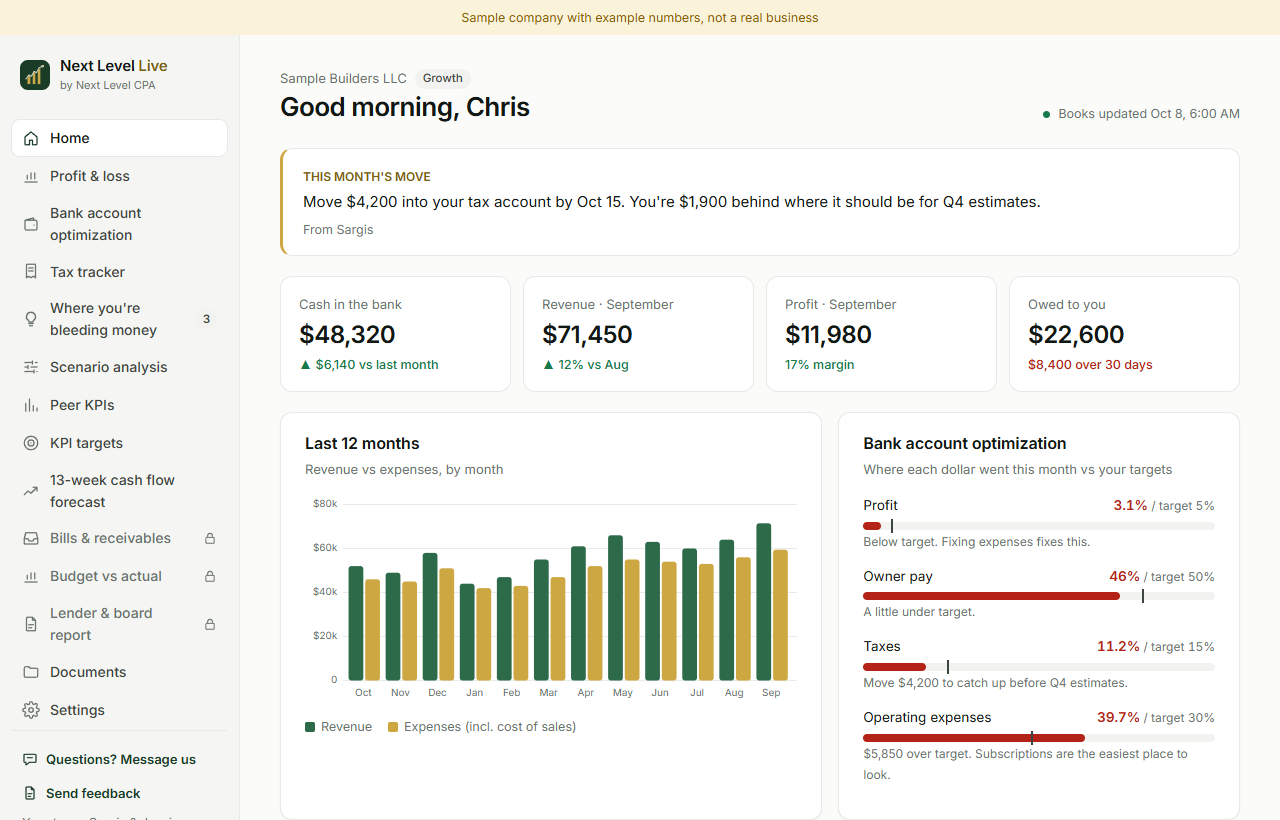
Everything you need to know about your business, in one place
Which screens you get depends on your plan. Every plan starts with Home, your live P&L and Documents.
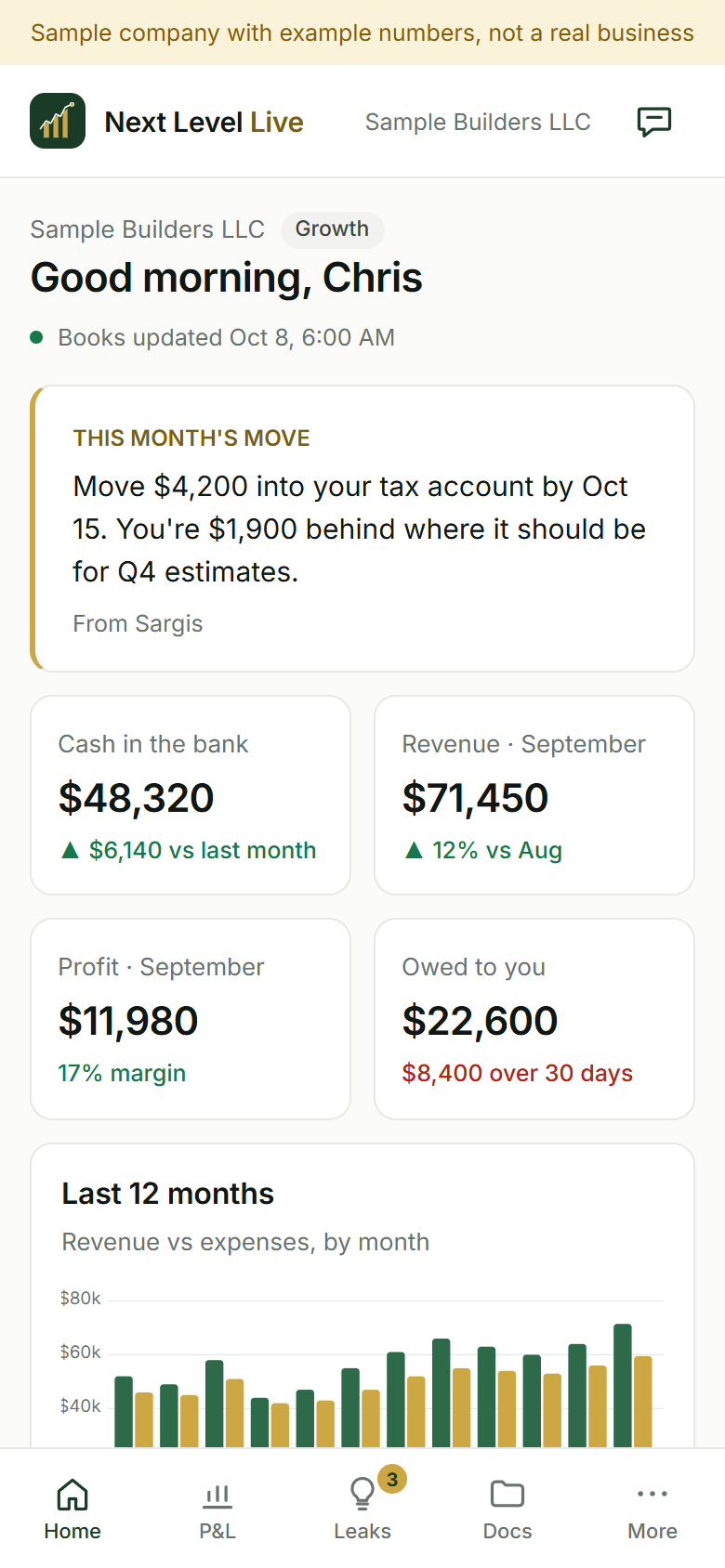
- Home and live P&LCash in the bank, revenue, profit and what you are owed, plus your profit and loss any time. Home also shows the latest Loom video of your close and a note from your team on this month's move.
All plans - DocumentsThe documents we share with you, in one place.
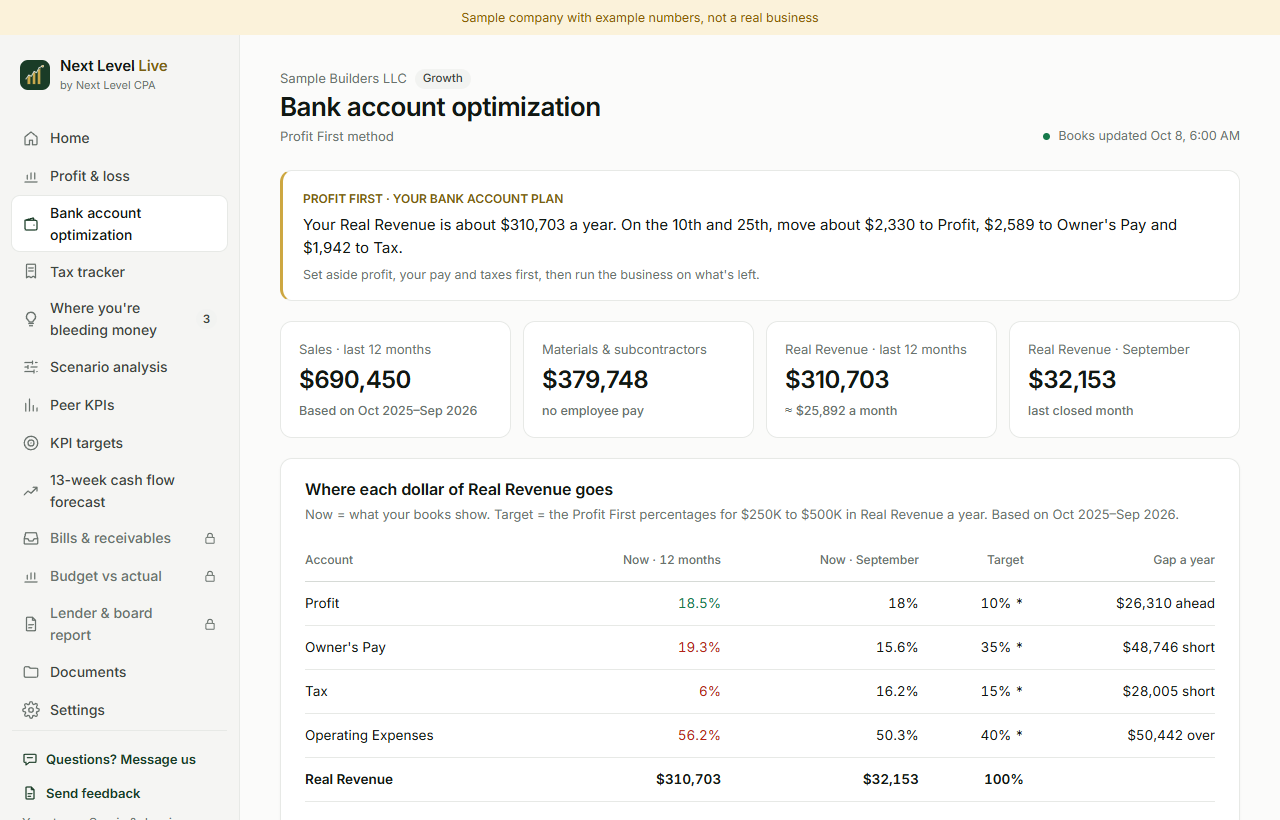
All plans - Bank account optimizationThe Profit First method: how each dollar of your revenue splits across profit, owner pay, tax and operating expenses over the last 12 months, against target percentages, and what to move and when.
Foundation and up - Tax trackerWhere you stand on your estimated tax payments, so the next one is not a surprise.
Foundation and up - Where you're bleeding moneyPlain-language tips from your team, plus a Subscription check that finds recurring charges in your QuickBooks expenses, with monthly and yearly cost, last charge and flags such as a possible duplicate or a price increase. You mark each one keep, review or cancel.
Foundation and up - Scenario analysisTry a what-if before you commit: a price increase, can I hire this person, should I run this marketing campaign.
Growth and up - Peer KPIsCompare your business with businesses like yours, matched on industry and size where public government data exists. Every number shows its source and year, and a comparison across all sizes is labelled as such.
Growth and up - KPI targetsEight key numbers from your last 12 closed months, such as gross margin, cash runway and days sales outstanding, each with a target set with your CPA, a status and a trend line.
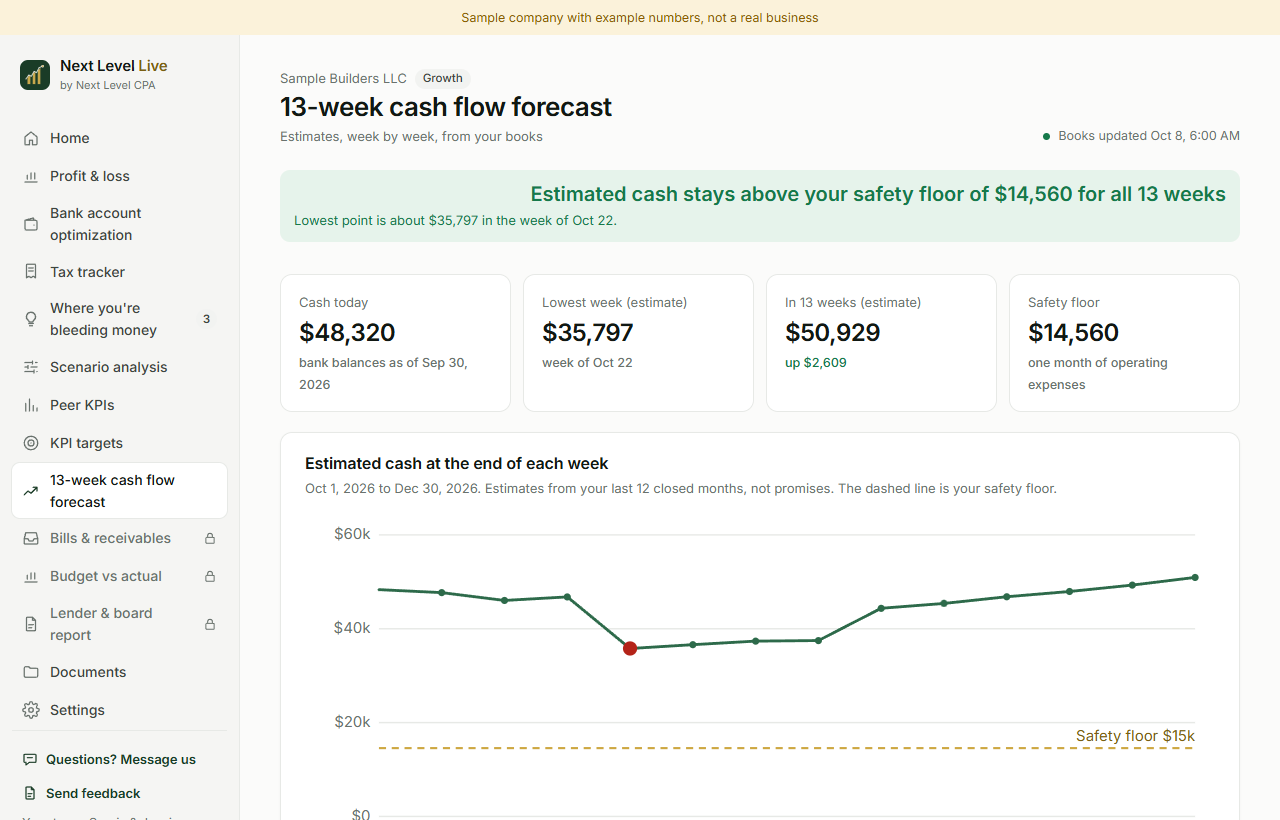
Growth and up - 13-week cash flow forecastEstimated cash week by week for the next 13 weeks from your books, with your safety floor marked. These are estimates, not promises, and the assumptions are listed on the page.
Growth and up - CFO extrasBills and receivables, budget vs actual, and lender and board reports, alongside the CFO plan's AP and AR service. Your team sets these up with you.
CFO
Fresh every morning, explained every month
- QuickBooks syncs every morningYour dashboard reflects how our team categorized your books the day before, with a "Books updated" time on every page.
- A Loom video of every closeWhen your books are closed, we record a walkthrough of what moved. The latest one is on your Home screen.
- Questions go through the secure portalThe app is for viewing your numbers. Questions about numbers, documents or taxes go through our secure client portal, one tap away on every page.
Every plan includes the app. Higher plans unlock more of it.
Locked features stay visible as a preview, so you can see exactly what you would turn on.
Read only, private, and yours
- Read-only QuickBooks access. You connect through Intuit's official sign-in. The app only reads; it never creates, changes or deletes anything in your books, and we never see your Intuit password.
- Invitation only. Every sign-in needs your email, your password and a 6-digit code from an authenticator app.
- Only your company. Each client sees only their own company. Access to the data is filtered by your sign-in.
- No selling, no ads, no AI training. We do not sell your data, the app has no advertising or third-party trackers, and we do not use your data to train AI models.
- Protected storage. Data is stored in the United States and encrypted at rest. All traffic uses HTTPS, and QuickBooks access tokens are encrypted before they are saved.
- Your call to disconnect. Disconnect QuickBooks at any time. Synced financial data is deleted within 30 days after you disconnect or ask us in writing.
The app shows your books, not your tax returns. Tax returns and tax documents stay in our separate client portal.
Questions we get asked
Is the Next Level Live app included in my plan?
Yes. Every plan includes the app, with Home, your live profit and loss, and Documents. Higher plans turn on more of it. Features your plan does not include yet stay in the menu as a locked preview, so you can see what they look like. There is no free trial; to turn a feature on, ask your team about moving up a plan.
How current are the numbers?
QuickBooks syncs to the app every morning, so the dashboard reflects how our team categorized your books the day before. Home and every page show a "Books updated" date and time. On Essentials, the live P&L is labelled "Unreviewed" and shows the date of the last official close, because the books are closed quarterly.
Can the app change anything in my QuickBooks?
No. The connection is read only. The app never creates, changes or deletes anything in your books, and we never see your Intuit password because you enter it only on Intuit's own screen. You can disconnect at any time from inside QuickBooks.
How do I ask a question about my numbers?
Through our secure client portal. The app is for viewing your numbers, so it has no chat or inbox. A "Questions? Message us" link on every page opens your portal. Growth and CFO clients can also book a planning call.
Does it work with my accounting software?
The app connects to QuickBooks Online. If you are not on QuickBooks Online yet, bring it up on your free discovery call and we will tell you what makes sense for your business.
See if Next Level Live fits your business
Thirty minutes on Google Meet with Sargis. We look at your numbers, confirm which plan fits, and you leave with a clear next step and a price.